Accessibilité d'une application Web - Contraste des couleurs
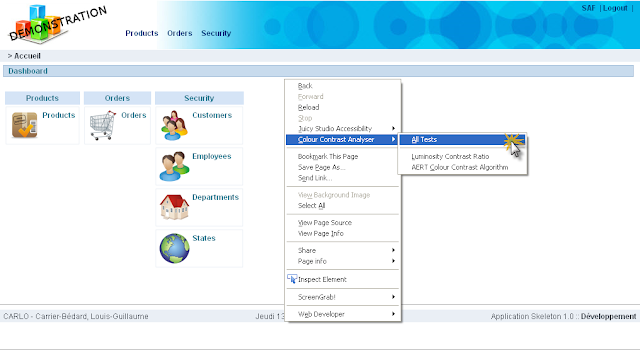
L'accessibilité Web regroupe une multitude d'éléments à considérer. Lorsque vient le temps d'analyser le contraste des couleurs sur une page web, on peut utiliser Colour Contrast Analyser , une extension pour Firefox. Juicy Studio offre un moyen simple pour calculer les ratios de luminosité et de contraste . Ce n'est pas le meilleur des outils que j'ai trouvé pour effectuer cette tâche par contre, il est minimaliste et c'est ce qui est préférable pour commencer. Pour plus d'informations concernant les contrastes entre les couleurs d'arrière plan et d'avant plan: " Ensure that foreground and background color combinations provide sufficient contrast when viewed by someone having color deficits or when viewed on a black and white screen " -World Wide Web Consortium (W3C) C'est un article qui date de 2000. Pour des informations plus récentes: Standards d'accessibilité du W3C Colour Contrast Analyser - Extension Firefox Pou...
